

Every One of These Four Failures Is Avoidable
All four have been solved before. They still land on launch day when the work outruns the schedule and the plan has no room for the parts that scale badly. The tools below are what keep each one off the critical path.
The redirect map goes first. Then the data import, usually discovered when a category page renders with half its products. Third comes the scripting nobody put in the estimate: URL normalization, redirect files in three server formats, schema markup across a few hundred templates. The fourth arrives two weeks after launch, when traffic is down and nobody can prove whether the migration caused it.
The nine tools below cover those four. They are the ones on our own machines, listed in the order a migration reaches for them.
The Nine
Redirects.net
Redirect map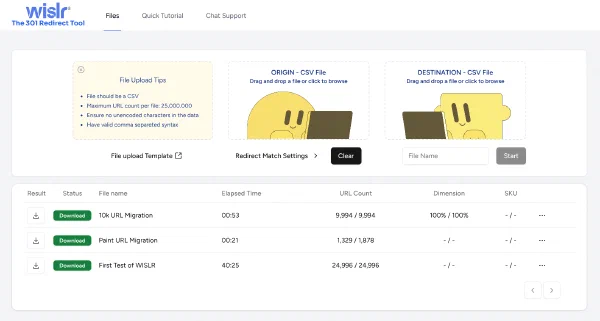
Matching old URLs to new ones is the job that scales worst by hand. Redirects.net reads both URL sets and proposes matches using a natural language model, which holds up on the structures that defeat pattern rules: product slugs with SKUs buried in them, category paths that were reorganized, legacy URLs nobody can explain.
- What it does
- Proposes a target for every source URL and scores its confidence in each match. Tens of thousands of URLs process in minutes.
- Why we use it
- The confidence score, more than the matching. It sorts ten thousand rows into the few hundred that need a human and the rest that do not, which is the difference between reviewing the map and rubber-stamping it.
- Where it fits
- Before cutover, as soon as the new URL structure is stable enough to export.
Claude Code
ScriptingEvery migration carries a pile of repeatable engineering that nobody scoped. Claude Code is Anthropic's agentic command-line tool. It reads the repository, plans a change, runs the commands, and leaves a reviewable session behind.
- What it does
- Bulk URL normalization, redirect files generated for Apache, Nginx and Cloudflare from one source of truth, schema markup added across templates, staging against production diff checks.
- Why we use it
- It moves the constraint. The work that used to wait for an engineering week becomes an afternoon a practitioner can supervise, and the output is a diff rather than a black box.
- Where it fits
- Throughout. Heaviest in the two weeks before cutover and the first week after.
SEOGets
Baseline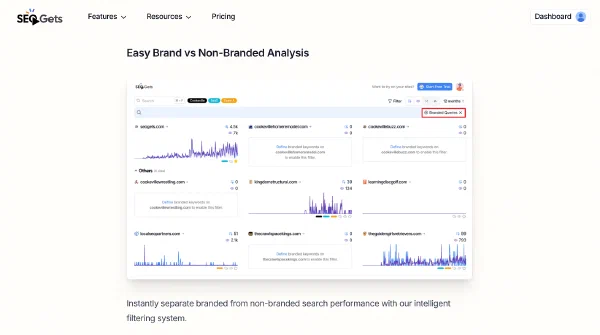
Search Console holds 16 months and the native interface makes page-level history hard to pull at any useful size. SEOGets extracts it and keeps going past the window.
- What it does
- Exports the full history at page level, tracks metrics per URL over time, and surfaces the pages carrying the most to lose.
- Why we use it
- The post-launch conversation is entirely about what the numbers were beforehand. A baseline built after cutover is an opinion.
- Where it fits
- Before cutover, and it cannot be backfilled. This is the one item on the list with a deadline attached.
WISLR.ai
AI baseline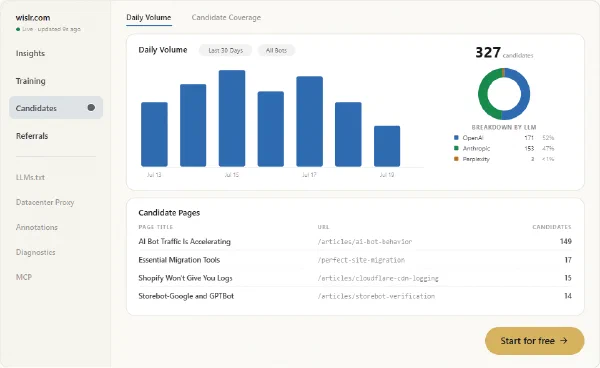
Search Console covers the baseline for human search. It records nothing about AI crawlers, which read your catalog on their own schedule and send buyers with the referrer stripped. That is a second channel with its own baseline, and a replatform disturbs it the same way it disturbs the first. This one is ours.
- What it does
- Captures training crawls, mid-conversation fetches and AI referrals at the edge on your own domain, then reports coverage per page and per engine, and matches sessions back to orders.
- Why we use it
- Changing every URL makes a model relearn the site, and that takes weeks. Without a reading from before cutover there is no way to say whether the AI channel recovered or simply went quiet.
- Where it fits
- Instrumented before cutover, watched hard for the weeks after. The free plan keeps 30 continuous days, which is enough to establish the baseline.
Cloudflare
EdgePlatform redirect limits are a real constraint on a large migration. Shopify and most hosted carts cap the list well below what a full catalog move produces, and rules held in the application cost a lookup on every request. Cloudflare moves the map to the edge, in front of the platform.
- What it does
- Bulk Redirects for maps far larger than a platform will accept, Transform Rules for pattern rewrites, and request logs at the edge where crawler behavior is actually visible.
- Why we use it
- The redirect map stops being the platform's problem, so it can be replaced wholesale without a deploy. The logs matter as much: they are the only complete record of what fetched what, and they survive the cutover.
- Where it fits
- Build and cutover, and it stays afterward as the delivery layer.
DigitalOcean
InfrastructureA migration needs somewhere to run that is not production: a staging copy to test redirects against, a box to run transforms on, room to scale if traffic shifts after launch.
- What it does
- Droplets, managed databases and App Platform for staging environments, migration scripts and the production site itself.
- Why we use it
- Predictable pricing and a short path from decision to running environment. A staging box that takes a procurement cycle to approve does not get used.
- Where it fits
- From the first test import through the weeks after launch.
Row Zero
Data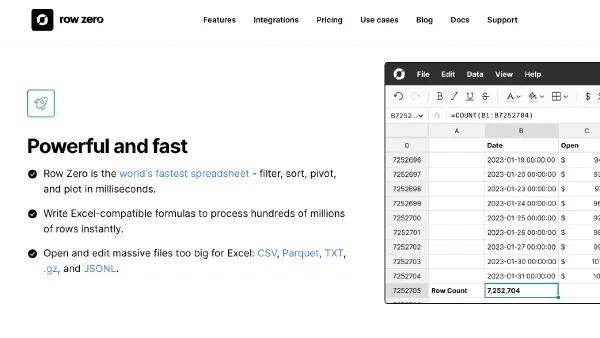
URL inventories break consumer spreadsheets. A full crawl of a mid-size ecommerce catalog runs to hundreds of thousands of rows, and the tool that opens it has to stay responsive while you filter and pivot.
- What it does
- Opens and manipulates datasets far past the point where a desktop spreadsheet stalls, with the cleaning and transformation steps that redirect mapping needs.
- Why we use it
- Migration data arrives inconsistent, from several systems, in several shapes. Most of redirect mapping is standardizing it before any matching happens.
- Where it fits
- Alongside the redirect map, and again during import validation.
Plausible
Post-launch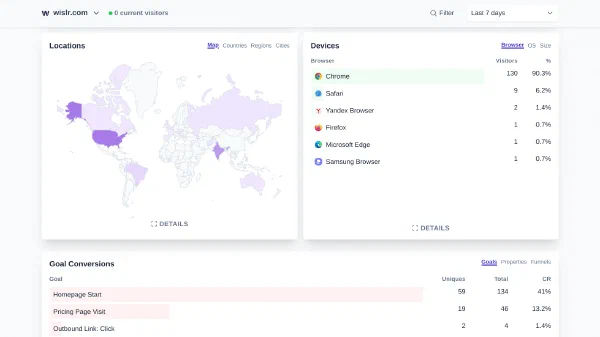
The first 48 hours after cutover are the window where a broken redirect is cheap to fix. Reporting has to be immediate and simple enough to read under pressure.
- What it does
- Lightweight, privacy-friendly analytics with live traffic by page, referrer and goal, and no cookie banner to configure.
- Why we use it
- Speed of reading. A launch-night dashboard that needs three clicks and a custom report is a dashboard nobody checks at 2am.
- Where it fits
- Instrumented before cutover, watched hard for the first week after.
The SEO Community Slack
People
Some migration problems are not in any documentation, because they are specific to a platform version, a plugin, or a combination nobody wrote up. The fastest route to those answers is somebody who hit it last quarter.
- What it does
- A Slack workspace with channels for technical SEO, Search Console and ecommerce. The technical SEO channel alone runs past 3,500 members.
- Why we use it
- Sanity checks before cutover, and a second opinion during one. Both are worth more the closer you get to the date.
- Where it fits
- Planning, and again at 11pm on launch night.
Where Each One Sits
Ordering matters more than the list. Two of these have a deadline: the Search Console baseline and the staging environment both stop being available once DNS moves.
Have us audit the migration in depth.
We review the redirect map before it ships, check the crawl and rendering path on staging, capture the baseline while Search Console still holds it, and read the first weeks from server logs rather than a tag that may never fire. You get the findings, the severity, and the order to fix them in.
What This List Does Not Do
Every tool here compresses work a person would otherwise do by hand. None of them decides which redirects matter. A tool scores a match at 60 percent confidence and stops. Whether that URL is a discontinued product nobody searches for or the page carrying a fifth of category revenue is a judgment call, and getting it wrong in either direction is expensive.
The same is true of the week after launch. Analytics reports the drop. Deciding whether it is the migration, the season, or an algorithm update that landed the same week takes someone who has watched the pattern before.
Under a few hundred URLs, most of this is unnecessary. A crawl, a spreadsheet and a careful afternoon will do it. The list earns its cost on scale and on evidence, and the Search Console export is the one item worth pulling at any size, because that history disappears whether you paid for anything or not.
Add our migration team to yours.
We have run more than 100 site migrations, and we work alongside the team you already have. Redirect strategy and mapping, schema and rendering, and server-log proof of what crawlers and buyers did before and after cutover.